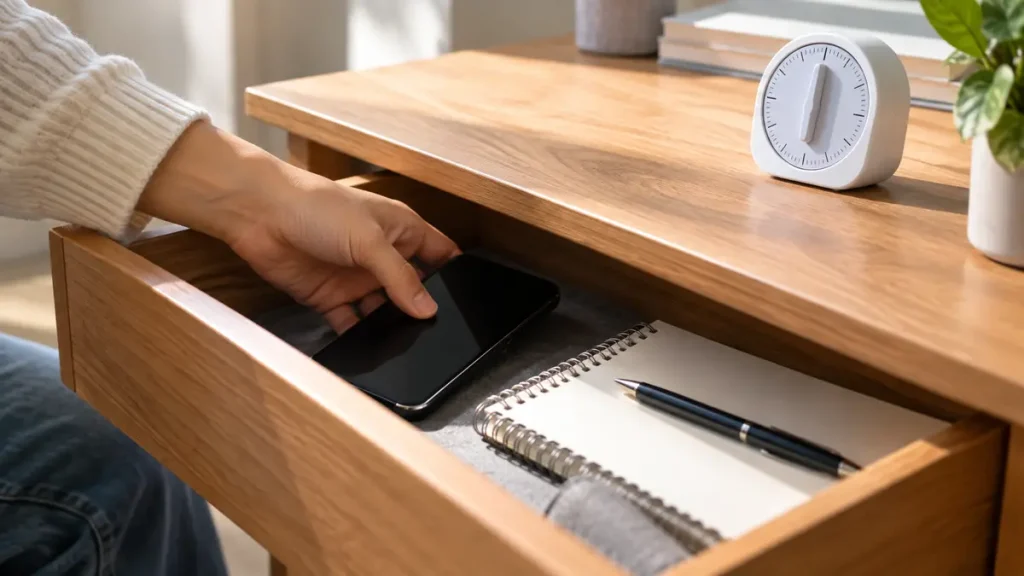
Phones are useful for calendars, class messages, authentication, and research, so “never use your phone” is rarely a realistic study rule. The better question is how to stop a necessary tool from repeatedly deciding what you pay attention to. Good boundaries add a little friction before distraction and make the next intended action obvious.
Decide the phone’s job before you start
At the beginning of a study block, state whether the phone is needed. If it is only a timer, set the timer and put the device away. If you need it for a source or course message, name the exact task and close it when complete. A phone with no assigned job tends to become an open invitation to check something.
This small decision works best alongside an attention-friendly study environment. You are not trying to become immune to every notification. You are arranging the first twenty minutes so that the material, not the feed, is easiest to reach.
Create distance that fits the session
For a short reading block, face-down and out of reach may be enough. For writing, problem solving, or a task you avoid, place the phone in a bag, drawer, or another room. Distance works because it creates a pause between impulse and action. That pause is often all you need to remember what you meant to do.
Use the smallest boundary that is effective, then strengthen it when a task demands deeper focus. This keeps the system practical. You may need your phone nearby when waiting for an important family call, but you can still turn off nonessential alerts and keep the screen out of view.
Plan checks instead of making them forbidden
Trying to ban every check can make the phone feel more tempting. Instead, define a check point: after a twenty-five-minute block, after two textbook pages, or after submitting a practice set. When the urge appears early, write it on a small “later” note and return to the task.
The planned check should be brief and intentional. Ask whether there is a message you need to answer, then put the phone back. Avoid opening a platform with no purpose. The boundary is not a moral rule; it is a way to stop an unplanned check from consuming the whole break.
Remove the easiest triggers
Mute nonessential notifications during study time, move tempting apps off the first screen, and disable badges if they pull your eye. Choose changes that reduce automatic opening without making essential communication impossible. Many distractions begin before you consciously decide to be distracted.
Also look at the desk. A phone beside the notebook can become part of the visual environment even when silent. Clear the surface so the first objects you see are the materials for the task. This is a simple complement to starting a task with less avoidance.
Review the boundary rather than blaming yourself
At the end of a session, ask one concrete question: where did the boundary fail? Perhaps the timer led into scrolling, a group chat was genuinely necessary, or the task was unclear enough that distraction felt attractive. Change the system in response.
A useful boundary evolves. If a drawer works, keep using it. If you repeatedly retrieve the phone, add a longer interval, use a separate timer, or study in a place where the device can stay in a bag. Treat the pattern as design feedback, not proof that you lack discipline.
Practical checklist
- Give the phone one job before the study block starts.
- Put it out of sight when it is not required.
- Choose a planned check point.
- Mute nonessential alerts and remove visual triggers.
- Review which boundary was effective after the session.
Frequently Asked Questions
Can I use my phone as a study tool?
Yes. Give it a specific task, such as accessing a source or timing a block, then return it to its boundary.
What if I need to be reachable?
Keep calls from important contacts available while muting or hiding nonessential alerts. The goal is controlled access, not isolation.
A useful next step
Choose one boundary for your next study block—drawer, bag, another room, or a timed check—and test it for a week before judging it.
For further evidence-based learning guidance, see American Psychological Association information on technology use.