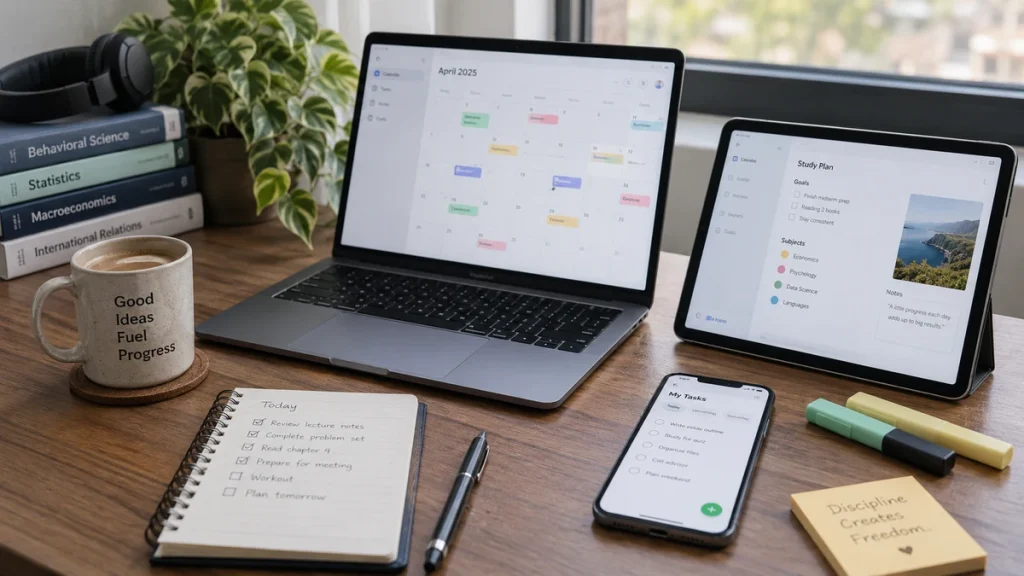
Best digital tools for students best digital tools for students are not the ones with the most features. They are the ones that reduce mental clutter and make planning, note access, and task tracking easier. Many students download too many productivity apps and end up spending more time adjusting systems than using them for real work.
A small digital toolkit is usually enough. What matters is clarity: one place for dates, one place for tasks, one place for notes or resources, and a simple way to review everything regularly. Tools should support study, not become a new hobby that replaces study.
Start with the problem, not the app
Ask what part of student life feels messy. Are deadlines slipping through the cracks? Are your notes hard to find? Do you forget small tasks, or do you struggle to plan the week? Different problems need different tools.
When students begin by asking which app is popular, they often end up with systems that look impressive but solve nothing important. A strong digital setup grows from need, not trend.
Use a calendar for time-bound commitments
A digital calendar works best for classes, deadlines, appointments, group meetings, and scheduled study blocks. Its strength is visibility across days and weeks. You can see collisions, busy periods, and how much time is actually available.
The mistake many students make is using a calendar for everything, including tiny flexible tasks. That can create visual overload. Reserve calendar space mainly for events and blocks tied to specific times.
Use a task manager for actions, not events
Task tools are useful for items that need doing but do not necessarily belong to one precise hour. Reading a chapter, emailing a professor, organizing lab notes, or outlining an essay may sit better in a task list than in a packed calendar.
A good task list shows what is next without making the week feel chaotic. Keep categories simple so the tool stays quick to update and easy to review.
Keep notes accessible and searchable
Digital note systems can help when you need course materials available across devices or want to search quickly for terms and ideas. They are especially helpful for lecture summaries, reading notes, and rough planning.
However, accessibility matters more than complexity. If your notes are spread across too many folders, apps, and naming styles, the digital system becomes another source of confusion. Consistency beats sophistication.
Use digital tools to review, not only to collect
A beautifully organized app is useless if you never open it. Build small review habits: check the calendar in the morning, review the task list before study sessions, and update notes or deadlines after class.
Digital tools are strongest when they reduce repeated thinking. They should help you remember what matters so your brain can focus on learning, not on constantly reconstructing your obligations.
Be careful that tools do not become distractions
Phones and laptops hold both useful systems and endless distractions. The same device that stores your calendar can also pull you into notifications, videos, and messages. Students should notice whether a tool helps work begin or simply keeps them inside a productivity-looking loop.
Limit your toolkit to what you genuinely use, silence unnecessary alerts, and avoid rebuilding the entire system every few days. Organization should create stability, not constant digital restlessness.
Common mistakes with digital organization
One of the most common mistakes is collecting more apps than the routine can support. Students may download separate tools for habits, notes, calendars, flashcards, tasks, focus, and journaling, then feel buried by maintenance. The system becomes another source of clutter rather than a cure for clutter.
Another mistake is building a beautiful digital structure and then rarely reviewing it. A planner, app, or dashboard only reduces stress when it is actually consulted at the moments when decisions are being made. Organization is not stored in the tool alone; it lives in the habit of using it.
How to choose tools that match your real workflow
A commuting student may care deeply about mobile access and quick capture on a phone. A student who works mostly from a laptop may prefer larger note spaces and calendar views. Some students need shared access for group projects, while others simply need a private system for deadlines and class notes.
When choosing tools, think about where and when you actually study. The strongest system is one that fits the routine you already have rather than demanding a completely different digital life. Compatibility with real habits often matters more than advanced features.
Creating a low-maintenance digital system
Low-maintenance systems are easier to trust because they require less constant updating. Use consistent naming, limited categories, and simple review times. If every assignment must pass through six digital layers before you can begin it, the system is probably too heavy.
A calm digital setup also reduces the urge to keep optimizing. When the structure is clear and easy to maintain, you can spend more energy on the academic work itself. Simplicity is not a lack of ambition; it is often a sign that the organization system is mature enough to stay useful.
A practical study example
A student uses one app for notes, another for assignments, another for deadlines, and still misses a quiz because nothing gets reviewed consistently. After simplifying the system to a calendar, a single task list, and a searchable notes app, the student feels less visually overwhelmed. The tools themselves are not magical, but the reduced complexity makes it easier to trust the system and use it daily.
This example shows why best digital tools for students improves when students make the task more specific, more observable, and easier to review instead of relying on mood or last-minute pressure.
Connect this idea to the rest of your study system
Use use planning tools to support your weekly study schedule when you need the next practical step, and revisit track academic goals clearly with simple systems to strengthen another part of the same academic routine.
Study methods work best as a system. Best digital tools for students becomes more effective when it fits your schedule, your workload, and your review habits instead of being used in isolation.
A seven-day action plan for best digital tools for students
Choose three core digital functions: calendar, tasks, and notes. Decide which single tool will handle each function and avoid adding extras unless a real problem appears. During the next seven days, check the calendar each morning, update the task list after class, and spend five minutes in the evening reviewing deadlines and unfinished work. Simplicity plus consistency matters more than novelty.
The purpose of this short plan is not perfection. It is to generate evidence about what helps you learn, what keeps getting avoided, and what adjustments would make best digital tools for students easier to maintain next week.
Quick checklist
- Real organizational problem identified
- Calendar used for time-bound events
- Task list used for actions
- Notes kept searchable and accessible
- Daily review habit added
- Toolkit kept simple
Use this checklist as a progress marker. If only one or two items are happening consistently, improve those first before trying to optimize every part of best digital tools for students at once.
Frequently Asked Questions
Do I need a paid app to stay organized?
No. Many students work well with free tools. The key is not price but whether the system is clear and used consistently.
Should I keep everything digital?
Not necessarily. Many students use a digital calendar with a paper notebook, or digital notes with a paper planner. The best system is the one you actually maintain.
What is the biggest mistake with productivity apps?
Using too many of them or changing systems constantly. Every switch creates friction and makes the organization system harder to trust.
Can digital tools improve grades directly?
Not by themselves. They help by reducing missed deadlines, improving clarity, and making study planning easier, but learning still depends on the study habits built around the tools.
Self-check questions for best digital tools for students
Before ending a study week, ask whether best digital tools for students improved the part of student life it was supposed to improve. Did it make your work clearer, your sessions easier to begin, or your review more effective? If the answer is no, the issue may not be your effort. The issue may be that the current version of the method is too vague, too large, or disconnected from your real academic pressures.
Another useful question is whether the method is visible in your ordinary routine. If best digital tools for students exists only in your intentions or in one highly motivated day, it is unlikely to change long-term outcomes. A strong system leaves evidence: completed sessions, better notes, clearer recall, less last-minute pressure, or more stable progress in organization systems, digital planning, and academic clarity.
How this skill improves across a semester
Students sometimes expect dramatic results after only a few days, but best digital tools for students usually becomes more powerful through repetition and adjustment. Early attempts may feel awkward because you are still learning how the method fits your courses, your energy, and your schedule. Over time, however, small corrections compound. What feels forced in week one can feel natural by mid-semester if the method is reviewed honestly and applied consistently.
This is why patience matters. The goal is not to master best digital tools for students instantly. The goal is to keep refining it until it becomes a reliable part of your academic life. When students treat improvement as a semester-long process rather than a quick fix, they are more likely to build habits that support both current performance and future learning demands.
Official resource to review
For an additional academic-skills perspective on this topic, review Google Calendar Help – Create an event. Use it as a support resource and adapt the advice to your own course load, study environment, and learning needs.
Final perspective
Best digital tools for students becomes more useful when it helps you do the next important thing clearly and consistently. Students do not need the most aesthetic routine or the most complicated system. They need a method that can survive ordinary weeks, support real learning, and be adjusted when life changes.
If this topic feels difficult right now, start small and gather evidence. A single realistic improvement in best digital tools for students can create momentum that spreads into better confidence, better planning, and better academic performance over time.